Processing Times: Please refer to product descriptions for specific times. THIS DOES NOT INCLUDE DELIVERY Orders with different processing times will be sent separately as soon as each product is ready.
How to Collect Wedding Guest Photos for Free Using a QR Code

How to Collect Wedding Guest Photos for Free Using a QR Code

If there is one thing couples often say after their wedding, it is this: “I wish I could see the photos everyone took.” Your photographer will capture the big moments beautifully, but the candid laughter, dance floor chaos, table selfies, and behind-the-scenes memories usually live on your guests’ phones. The good news is that you can collect those photos completely free, without asking guests to download an app or create an account. All you need is:

• A free Dropbox account
• A QR code
• A professional sign so guests actually use it

This guide walks you through the easiest way to set it up in minutes.

Why Brides Are Using QR Codes to Collect Wedding Photos

QR code photo sharing has become extremely popular because it removes friction for guests.

No complicated instructions.
No tech confusion.
No chasing people after the wedding.

Guests simply scan and upload.

The result? A shared collection of real, unfiltered memories you would otherwise never see.

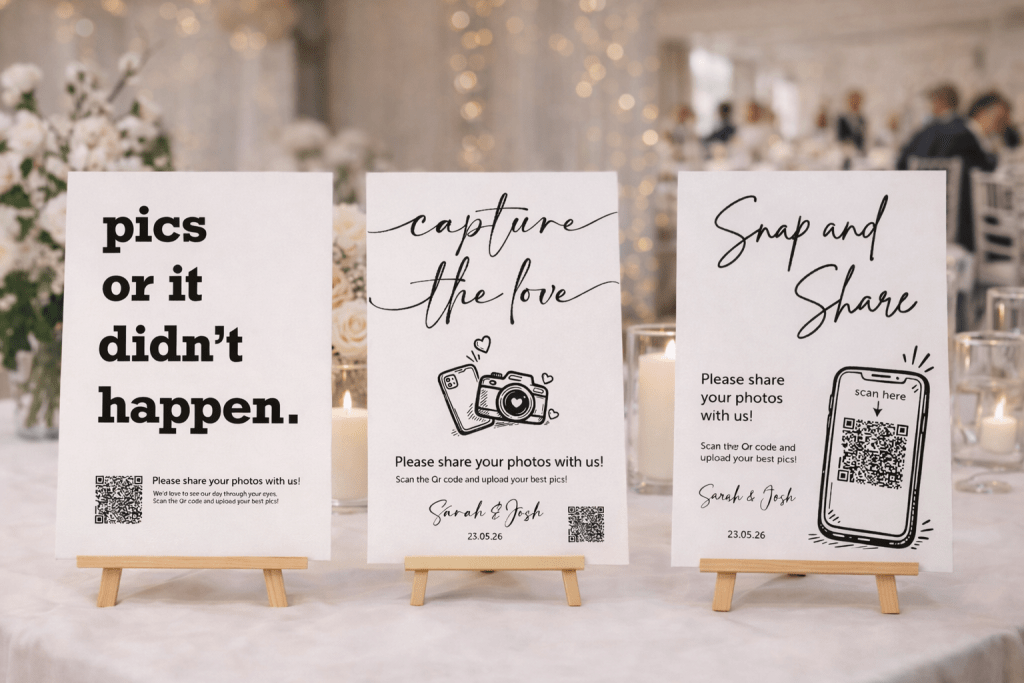
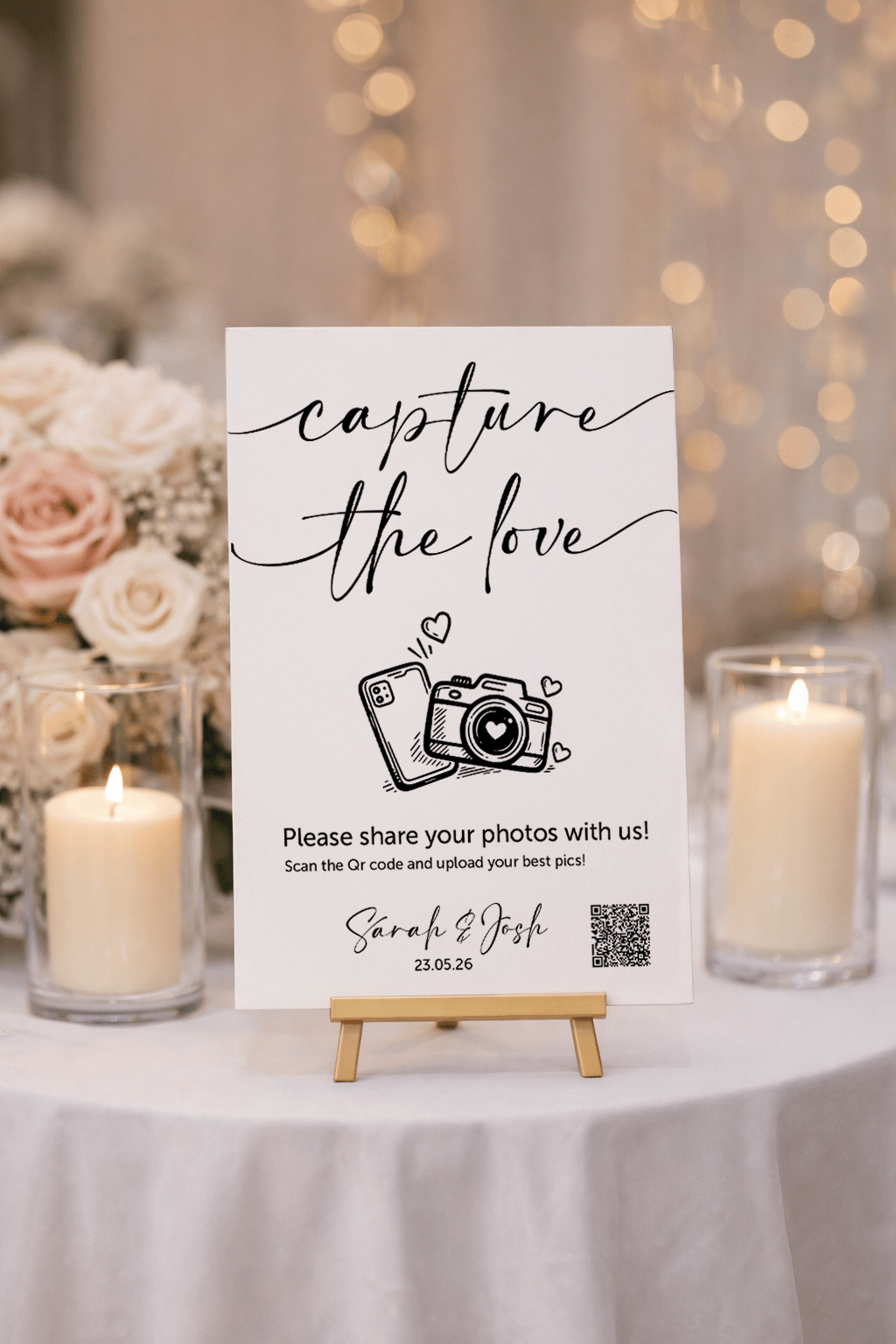
Wedding QR Code Photo Sign

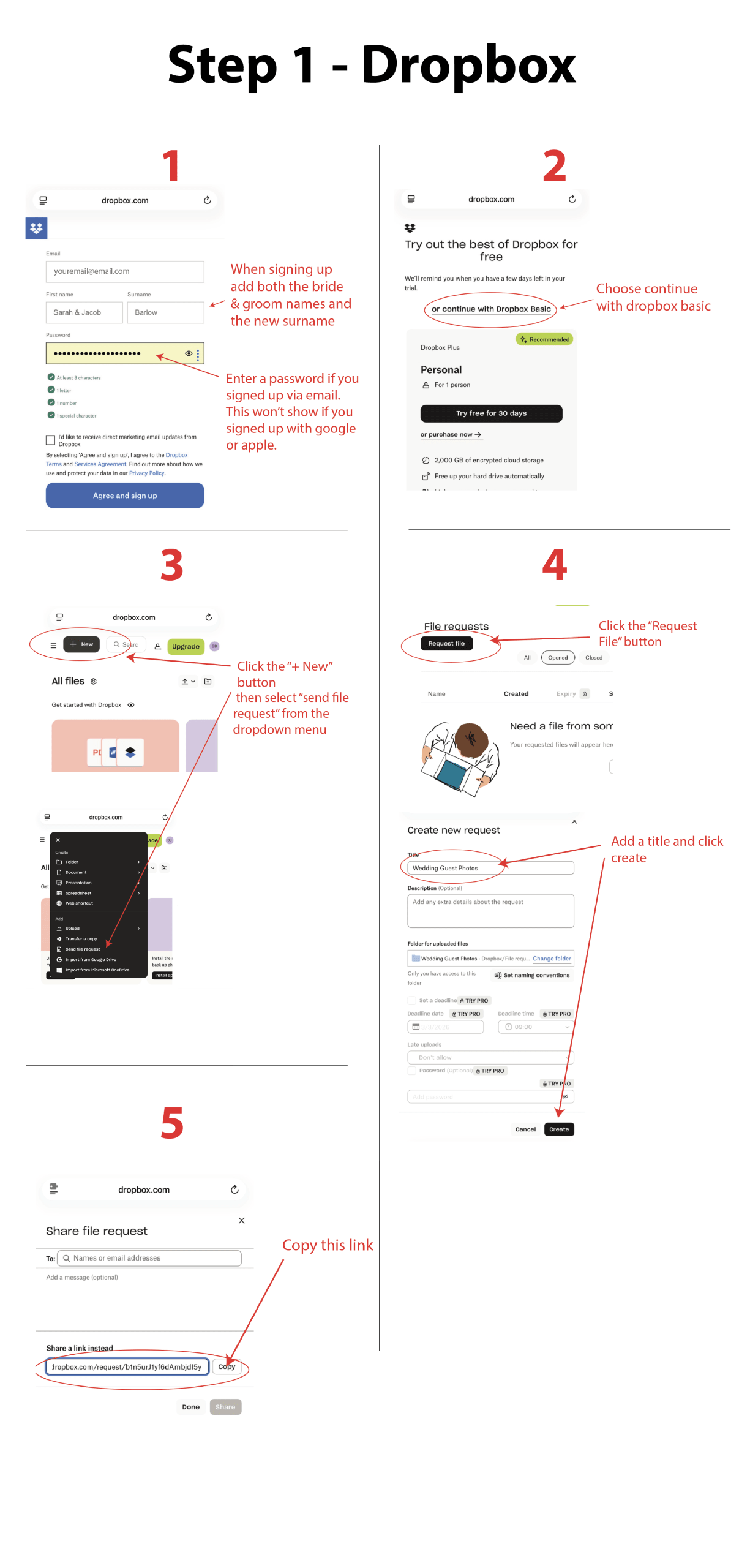
Step 1: Create Your Free Wedding Photo Upload Link

The visual guide below shows the quick setup. For best results, use the supporting instructions underneath as you complete each step.

We recommend using Dropbox because it allows guests to upload photos without needing an account.

How to set it up:

  1. Create a free account on Dropbox.com. You must use the desktop version on your smart phone as you can’t create a file request on the app.  Use both the bride and groom first names and your new surname.
  2. Choose continue with Dropbox Basic then select personal on the next page.
  3. Click on the “+New” dark grey button on the top left and from the dropdown menu click on “send file request”
  4. Select Request File. Title your new request something clear like Wedding Guest Photos and click create.
  5. Copy your upload link

That is the link that your QR code will open. Any photos uploaded using the Qr code will appear in this folder on dropbox.

Important:
A free Dropbox account includes 2GB of storage, which is usually enough for around 400–600 smartphone photos. For most weddings, this comfortably covers the best moments your guests upload throughout the day. If you are planning a very large celebration, you may wish to upgrade your storage for extra peace of mind.


When guests upload their photos, Dropbox asks for a name and email address. This takes just a moment and helps prevent spam uploads and allows them to receive confirmation that their pictures have been successfully uploaded

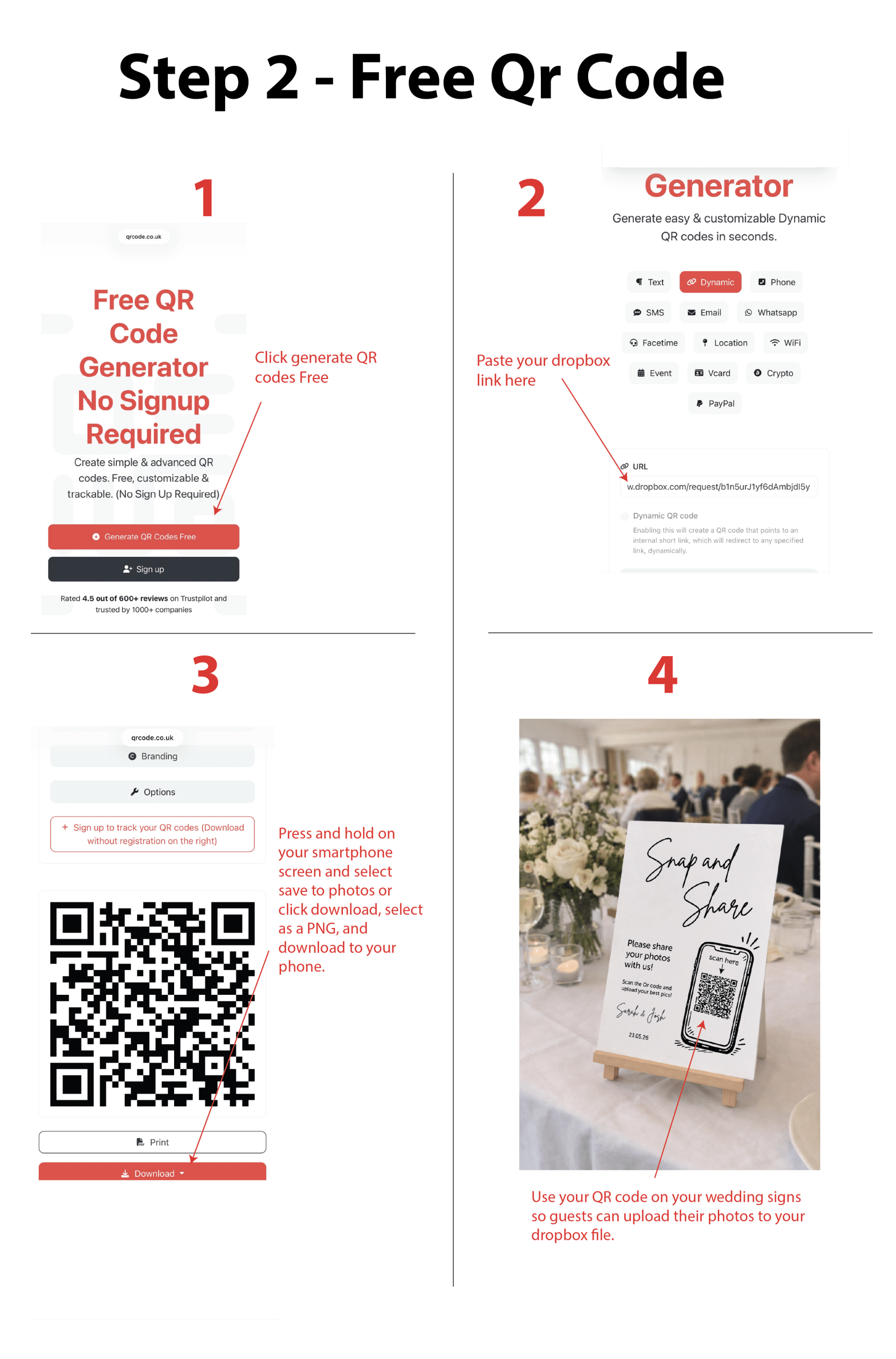
Step 2: Generate Your Free QR Code

The visual guide below shows the quick setup. For best results, use the supporting instructions underneath as you complete each step.

    1. Choose a QR Code Generator: Visit this free QR code generator QRcode.co.uk and click on the red button “Generate Qr Codes Free”

    2. Enter the URL: Paste your Dropbox link into the URL field.

    3. Scroll down on the same page and you will see your QR code,  either press and hold on your smartphone screen and select save to photos or click download, select as a PNG, and download to your phone. It will appear in your downloads folder or whatever folder you have chosen for your downloads.
    4. You now have your QR code which can be used on wedding signs. Make sure you test the QR code before using on signs to make sure everything is working as it should.

Tip: Avoid heavily stylised QR codes. Don’t be tempted to add frames,  styles and colours to your QR code, keep the design simple. Black on white scans best for wedding signs. Pretty matters less than reliable scanning.

Step 3: Turn Your QR Code Into a Professional Wedding Sign

While you can print a QR code at home, many couples quickly realise that a piece of paper does not quite match the atmosphere they have spent months creating.

A professionally printed sign makes your QR code:

• impossible to miss
• effortless to scan
• part of your styling rather than an afterthought

Instead of editing templates or worrying about print quality, you can simply upload your QR code and have your sign professionally produced and delivered ready for your big day.

To have your QR code displayed on one of our wedding signs, you simply:

• Select your chosen design
• Select foam board or acrylic
• Upload your QR code
• Receive a fully printed sign ready for your wedding

No editing, No formatting, No printing stress. Just unwrap it and place it on a stand or easel.

Our signs are designed to blend beautifully into modern wedding styling while still doing their job clearly, encouraging guests to scan and share.

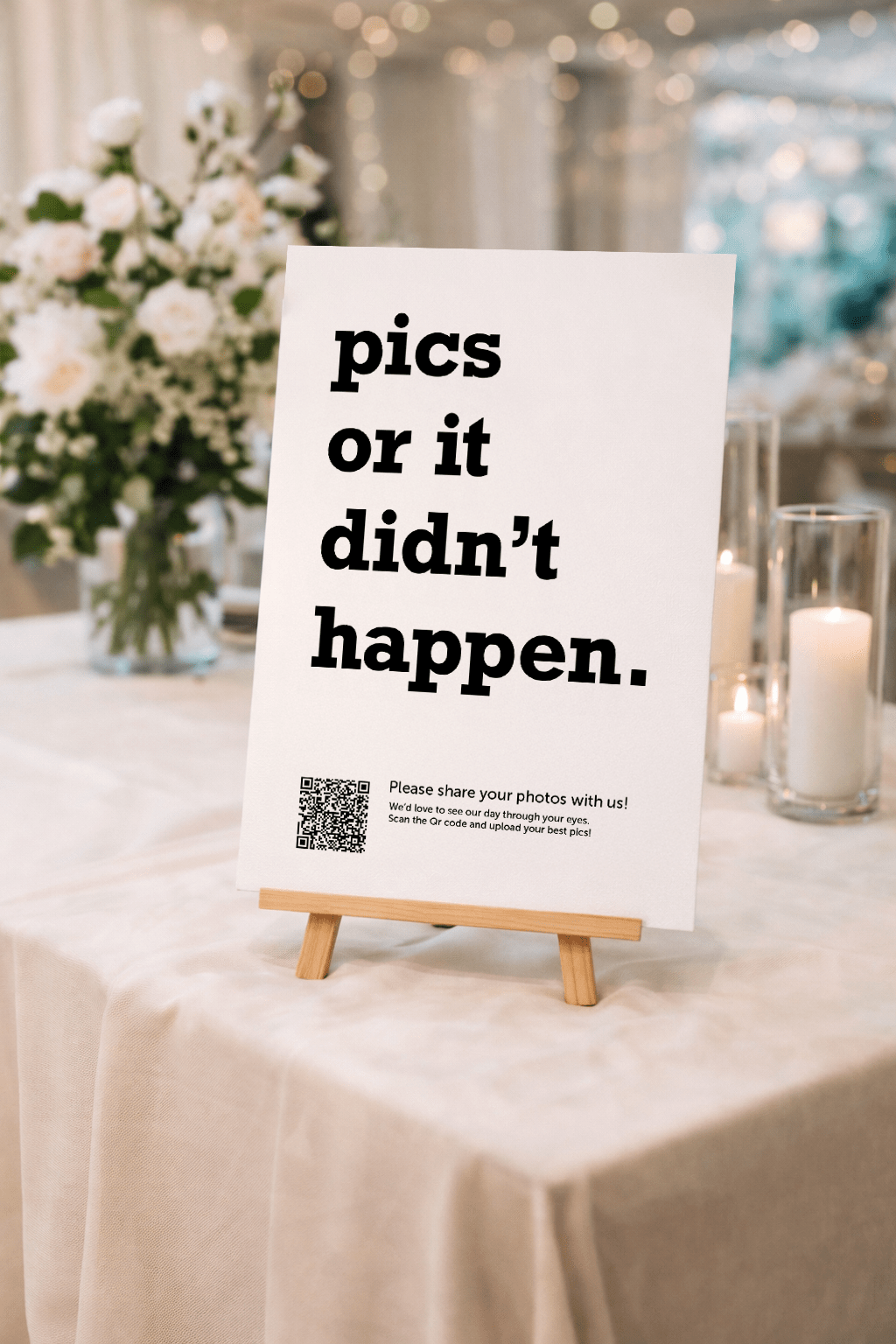
👉 Browse our QR code wedding signs here

Frequently Asked Questions

Yes. Creating a Dropbox file request and linking it to a QR code allows guests to upload photos instantly without downloading an app or creating an account.

No. Guests simply scan the QR code and choose their photos. The process takes seconds.

The free plan includes 2GB of storage, which is typically enough for hundreds of wedding photos.


Yes. When the QR code is clearly displayed, guests are far more likely to upload their photos during the celebration.

Foam board can be used outdoors but it's not recommended due to the lightweight material and it is not weather resistant but acrylic can be used outdoors and is the sturdier option. I always recommend acrylic for exposed or breezy locations.

Our wedding signs are available in A5, A4, A3,  and A2 sizes. All styles can be printed on 3mm or 5mm foam board, or 3mm acrylic. A3 signs are ideal for small table-top displays, while A2 work well for entrances, easels, and larger venue displays.

Please be aware that the colours of the prints may vary slightly from what you see on your screen. This variation is due to the differences in monitor displays and their settings. I strive to accurately represent all my products, but please consider slight colour variations when ordering.

Final Thoughts

If you are already ordering wedding signage, adding a QR code photo sign keeps everything cohesive while giving guests an interactive way to contribute to your day.

Shopping Basket